n8n + AI Approval Gates: Production Automation Without Losing Control
AI workflow automation is moving from simple triggers to agentic decisions. The businesses that win will add approval gates, logs, and exception queues before giving AI real authority.

AI workflow automation is moving past simple “connect app A to app B” recipes. The teams getting value in 2026 are not asking whether an AI agent can click a tool. They are asking which tool calls need approval, which exceptions need a human, and which actions must be logged before the workflow touches customers, money, or production data.
What changed: AI workflows now include judgment, not just triggers
The recent wave of n8n-style AI automation is important because it combines low-code orchestration, LLM reasoning, hundreds of integrations, and human-in-the-loop approval patterns in the same operating surface. That changes the buyer conversation. A workflow is no longer only a sequence of deterministic steps. It can classify an inbound request, enrich a record, choose a tool, draft an answer, and ask for approval before acting.
For operators, that is a major shift. The old automation question was “Can we save time on repetitive work?” The new question is “Can we let AI move work forward without giving it uncontrolled authority?”
That distinction matters because most businesses do not fail at the happy path. They fail when the input is messy, the customer is angry, the invoice total does not match, the CRM record is incomplete, or the agent wants to perform an action that has business risk.
The production workflow that should exist
A production AI workflow should be designed around boundaries before prompts. The agent can reason, but the system decides where reasoning is allowed to become action.
A practical architecture looks like this:
- Trigger layer: email, form, Slack, CRM event, webhook, support ticket, or scheduled job.
- Context layer: pull customer data, policy docs, order history, internal notes, and previous conversations.
- Decision layer: classify intent, confidence, business impact, and required next step.
- Approval layer: route risky tool calls to Slack, email, or an internal queue before execution.
- Execution layer: update CRM, draft reply, create task, send invoice reminder, book meeting, or open support escalation.
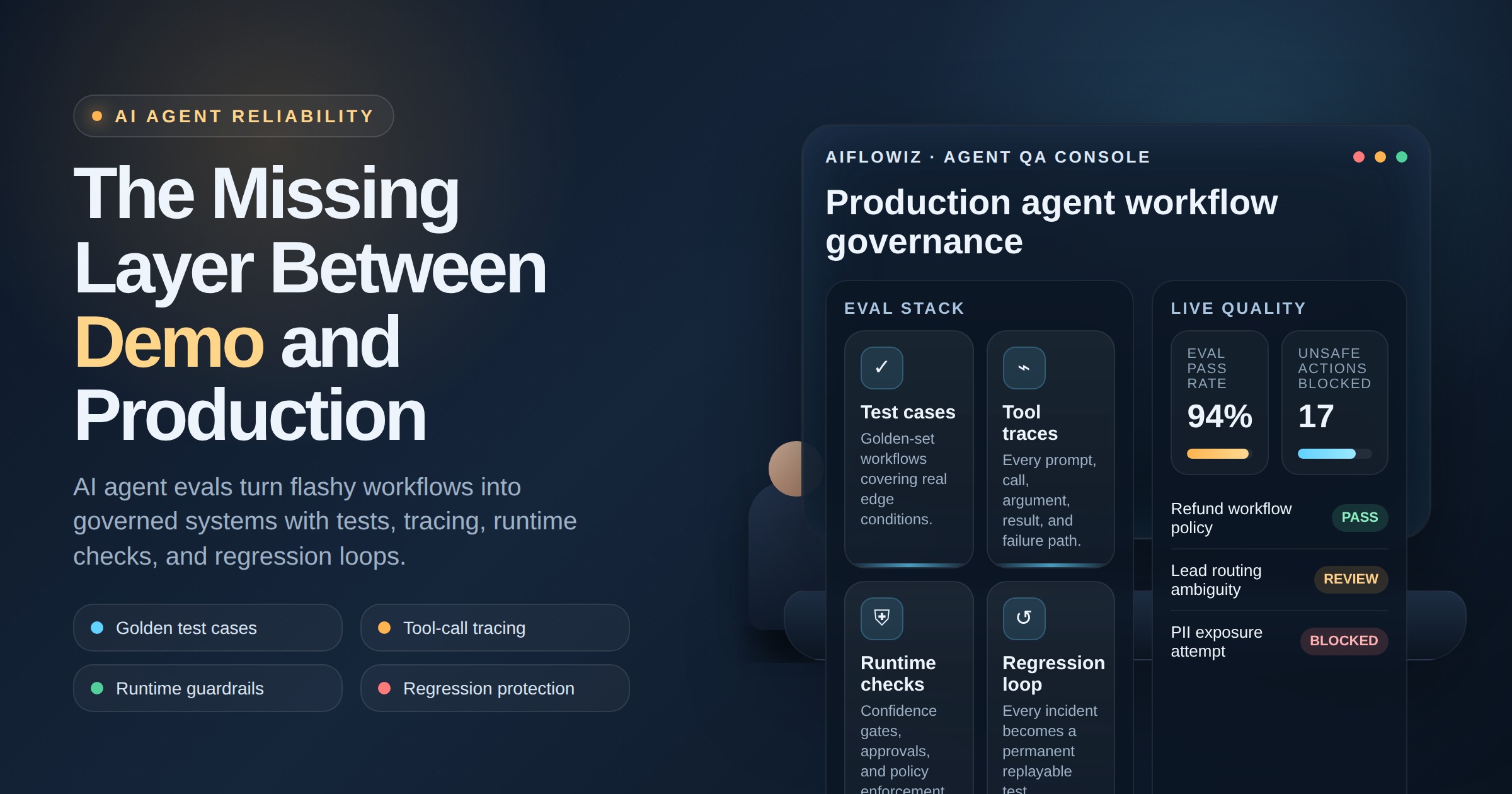
- Observability layer: log inputs, model output, approval decision, final action, cost, latency, and exception reason.
The key is not that AI touches every step. The key is that every AI-controlled step has an owner, a rollback path, and a record.
Where manual handoffs quietly waste margin
Manual handoffs usually look harmless. A lead arrives and someone forwards it. A customer asks for a status update and someone checks three tools. A vendor sends a PDF and someone copies fields into a spreadsheet. A sales rep needs account context and asks operations to look it up.
Each handoff adds delay, context loss, and hidden management overhead. The business pays twice: once in labor, and again in missed follow-up, slower response times, and inconsistent customer experience.
AI workflow agents can reduce that waste when they are used to prepare the handoff, not pretend the handoff does not exist. The right system can:
- summarize the request,
- fetch the customer record,
- identify missing information,
- propose the next action,
- ask the right person for approval,
- execute the approved step,
- write the result back to the system of record.
That is very different from “an autonomous agent handles everything.” It is controlled delegation.
What AIflowiz would build
For a business with repeated handoffs, AIflowiz would start with one workflow boundary: the point where work leaves one person, inbox, or system and waits for somebody else to move it forward.
Then we would build a 7-day AI workflow PoC around a narrow but valuable process, such as:
- inbound lead qualification and CRM routing,
- support escalation triage,
- invoice exception review,
- customer onboarding task creation,
- internal operations request intake,
- renewal-risk monitoring and account follow-up.
The build would include a workflow engine, LLM decision prompts, retrieval from approved company sources, tool permissions, approval gates, retry logic, exception queues, audit logs, and a dashboard that shows what the automation did and where humans intervened.
The deliverable is not a demo bot. It is a small production pattern the team can trust, measure, and expand.
ROI comes from fewer stalled decisions, not fewer employees
The strongest ROI usually appears in three places.
First, response time drops because work is classified and routed immediately. Second, skilled people spend less time gathering context and more time making decisions. Third, the business gains a repeatable operating record: what came in, what the agent recommended, who approved it, and what happened next.
That record is what makes automation scalable. Without it, every exception becomes a mystery. With it, the company can tune prompts, add rules, improve retrieval, and expand the workflow safely.
Guardrails that make the workflow usable
A serious AI workflow needs more than a model and integrations. It needs operational controls.
Use these guardrails before expanding scope:
- Permission limits: the agent can draft, enrich, and recommend before it can send, charge, delete, or modify sensitive records.
- Approval thresholds: low-risk actions can run automatically; high-risk actions require human signoff.
- Source boundaries: the agent should only answer from approved business data when accuracy matters.
- Cost caps: runaway loops and repeated tool calls should be stopped automatically.
- Trace logs: every decision should be inspectable after the fact.
- Exception ownership: failures need a queue, not a black hole.
When those controls exist, AI can accelerate operations without turning into operational debt.
If your team has a workflow that crosses inboxes, spreadsheets, CRM records, Slack threads, and manual approvals, that is the right place to start. Book a free AI audit with AIflowiz or ask for a 7-day AI workflow PoC. The goal is not full autonomy. The goal is fewer bottlenecks without losing control.