How to Set Up Hermes (Desktop, Local + Cloud LLMs, Profiles, Messaging)
Hermes becomes useful when it stops being a chatbot and starts acting as an operating layer across models, tools, messaging, and automation. This guide shows how to set it up on desktop, connect local and cloud LLMs, isolate profiles, wire messaging, and launch one practical workflow that a business can actually use.

How to Set Up Hermes (Desktop, Local + Cloud LLMs, Profiles, Messaging) + A Practical Workflow & Automation Example
Most teams do not need another chatbot tab. They need one operator that can run on a desktop, call real tools, switch between local and cloud models, message them where they already work, and automate repeatable tasks without turning into a black box. That is where Hermes becomes useful.
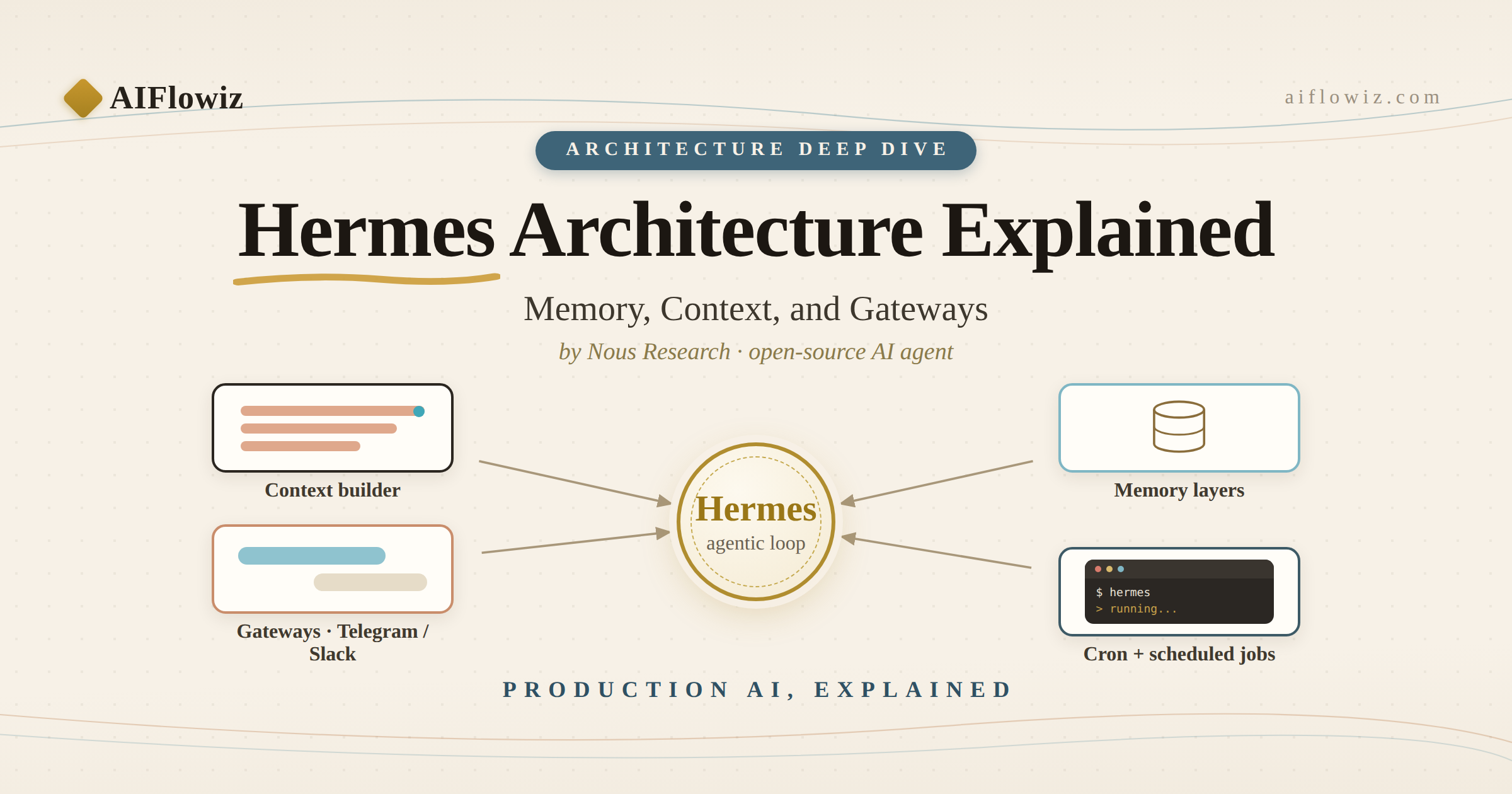
Hermes is not interesting because it can answer questions. It is useful because it can become a working layer between your models, your tools, your channels, and your business workflows. If you set it up correctly, you get one agent that can work from the terminal, send updates to Telegram or WhatsApp, run scheduled jobs, keep durable memory, and use different profiles for different environments.
This guide shows the practical setup path: desktop install, local plus cloud model routing, profiles, messaging, and one real workflow automation example that a business can actually use.
Start on desktop first
If you want Hermes to be reliable, start on your desktop before you spread it across messaging channels and automations. The desktop flow forces you to validate the fundamentals first: install, model access, tool access, configuration, and session behavior.
A clean first-run path looks like this:
curl -fsSL https://raw.githubusercontent.com/NousResearch/hermes-agent/main/scripts/install.sh | bash
hermes setup
hermes doctor
hermes
That sequence matters.
hermes setup gives you the fastest path to a working config. hermes doctor catches dependency and environment issues early. Then you run hermes directly and verify the agent can chat, call tools, and complete at least one useful task.
For a first smoke test, do not ask Hermes something generic. Ask it to do real work such as:
- inspect a repo
- summarize a document
- search the web and extract links
- write a cron plan
- check a running process on your machine
If the first session cannot do real work from desktop, adding messaging on top will only hide the problems.
Run local and cloud models in the same system
This is where Hermes starts to become commercially useful.
Most teams should not pick local or cloud as a religion. They should route workloads based on cost, latency, privacy, and reliability. Hermes gives you a single interface for both.
Use cloud models when you want stronger frontier reasoning, broader general capability, or easier managed uptime. Use local models when you want data control, lower marginal cost, offline resilience, or a private deployment boundary for sensitive workflows.
In practice, the setup usually looks like this:
hermes model
hermes config edit
Then configure your preferred provider for the default model and keep the local path available for the workflows that should stay private.
A practical operating split looks like this:
- cloud LLM for planning, research, writing, and hard reasoning
- local LLM for internal knowledge tasks, bounded transformations, and sensitive summaries
- auxiliary models for vision, compression, or background utility tasks
The business value is not just cost control. It is boundary control.
A sales workflow may use a cloud model to draft outbound messaging while a private RAG workflow uses a local model for internal documentation and customer records. Same agent layer. Different model boundary.
That is the real upgrade: one operator surface, multiple model backends.
Use profiles before you need them
A lot of agent setups become messy because people run everything in one profile until prompts, skills, secrets, and sessions start colliding.
Hermes profiles solve that problem. They let you isolate configuration, memory, sessions, tools, and integrations by context.
Typical profile structure:
defaultfor personal use and general experimentsworkfor your main operating environmentclient-acmefor one client with isolated memory, skills, and credentialslabfor testing risky ideas, plugins, or new automations
The CLI makes this straightforward:
hermes profile list
hermes profile create work
hermes profile create client-acme
hermes profile use work
hermes profile show work
This matters more than most people think.
Profiles are what stop your personal experiments from leaking into a client workflow. They also make it much easier to run parallel environments with different models, different tools, different messaging platforms, and different approval settings.
If you expect Hermes to touch real business workflows, profiles are not a nice-to-have. They are part of the safety model.
Turn Hermes into a messaging operator
Desktop-only agents are useful. Messaging-connected agents are operational.
Once Hermes works locally, connect it to the channels where work already happens: Telegram, WhatsApp, Discord, Slack, email, or API routes. That is what turns it from a local assistant into a workflow operator.
The baseline commands are:
hermes gateway setup
hermes gateway install
hermes gateway start
hermes gateway status
From there, connect the platforms that match the workflow.
Examples:
- Telegram for founder updates, alerts, and quick operator requests
- WhatsApp for human-facing business workflows and field communication
- Discord or Slack for engineering and support teams
- API server or webhooks for product integrations and system-triggered automations
The mistake most teams make is connecting messaging too early without deciding what messages deserve an agent at all.
Good messaging use cases:
- daily AI ops summary
- exception alerts from workflows
- approval requests before a risky action
- quick “go do this” tasks from a founder or operator
- scheduled research or publishing jobs delivered into chat
Bad messaging use cases:
- constant spam
- vague status pings
- every low-value notification routed through the agent
If Hermes is going to live in chat, the channel should become a control plane, not a noise machine.
The practical workflow: one agent, two model boundaries, three delivery paths
Here is a setup that makes sense for a real service business.
Imagine an agency or internal ops team wants one agent to manage lead intake, research, drafting, and follow-up without losing control.
The workflow can look like this:
- A website form or webhook sends a new lead into the system.
- Hermes classifies the lead, enriches the company, and drafts an internal summary.
- Sensitive CRM context stays on the local or private model path.
- External web research and persuasive drafting use a stronger cloud model.
- Hermes sends a concise decision packet to Telegram or Slack.
- If approved, Hermes creates follow-up tasks, drafts outreach, and schedules reminders.
- A daily cron job sends a morning summary and an evening pipeline update.
That is not hypothetical agent theater. It is a clean agentic workflow with real boundaries.
The core Hermes features behind it are simple:
hermes cron list
hermes tools
hermes sessions browse
hermes memory status
What matters is how you combine them.
- profiles isolate environments
- messaging creates the operator interface
- cron jobs create repeatability
- memory preserves durable context
- model routing controls privacy and cost
- tools let the agent act instead of just talking
That stack is what businesses actually pay for.
A practical automation example
Here is a useful starter automation for a founder-led team:
Automation: daily inbound and ops briefing
Every morning Hermes should:
- scan yesterday’s leads, tickets, or inbound messages
- group them into sales, support, delivery, and admin
- flag anything high urgency
- produce one short briefing in Telegram
- create follow-up tasks for anything that should not be dropped
A stronger version adds model boundaries:
- local/private model for internal records and customer context
- cloud model for market research, email rewriting, and summary quality
- Telegram delivery for operator visibility
- cron scheduling for daily execution
The reason this works is simple: businesses do not suffer from lack of raw information. They suffer from fragmented execution.
Hermes can become the layer that receives inputs, decides what matters, routes work, and reports back in the channel the operator already checks.
That is a real automation wedge for agencies, operators, and internal AI teams.
What to lock down before production use
The flashy part is easy. The production part is where most teams fail.
Before you let Hermes touch revenue, support, customer records, or internal tools, lock down these five things:
- profile isolation
- approval mode for risky actions
- tool access boundaries
- messaging scope and destination rules
- auditability through logs, sessions, and repeatable cron behavior
This is the difference between “AI demo” and “AI system.”
The strongest implementations are not the ones with the biggest model. They are the ones with the clearest boundaries.
Why this matters commercially
Most companies are still trying to use AI as a layer of text generation. The bigger opportunity is using AI as an operating layer across tools, memory, messaging, approvals, and scheduled execution.
Hermes is compelling because it can be the agent interface for that layer.
You can start on one desktop. Then add a private model path. Then create separate profiles. Then wire messaging. Then automate a workflow that already matters to the business.
That sequence is how teams stop “trying AI” and start building controlled AI operations.
If your team wants Hermes or a similar agent stack set up with local plus cloud model routing, messaging delivery, profile isolation, and workflow automation, AIflowiz can help you design it, ship a 7-day proof of concept, and harden it for production.